
Walk through the setup checklist for your faculty pilot: accounts and roles, the academic term, supervisor–student assignment, AI budget and policy, orientation, then run and measure.
By Huỳnh Minh Phúc·
Running a clean pilot of Project Mentor in one faculty is mostly a setup exercise: get the right people into the right roles, set sensible AI limits, and frame a term so the work has a container. This is the practical checklist an administrator or coordinator can follow to go from an empty system to a faculty actively supervising.
You don't need an IT department or a signed institutional contract to start. Right now, as we onboard our first pilot partners, the quickest on-ramp is a single supervisor: a lecturer can partner with us directly — an email is enough — and begin running supervision with their own research group, free of charge. Their students come along by joining that lecturer's real group, so they free-trial the platform on actual thesis work rather than a sandbox.
The administrator checklist below is the same setup at faculty scale — the right path once a department wants to bring a whole cohort in at once, with accounts provisioned centrally through CSV import. Both routes end in the same place: supervisors supervising, with the logistics handled.
Further out, our roadmap opens this beyond a single faculty into an open marketplace where any lecturer or student can find a mentor, with a revenue-share that pays supervisors for the guidance they give. That is the direction of travel, not a how-to — everything below describes what you can set up today.
As an administrator, you can create users one at a time or bulk-import a whole faculty from CSV with a preview step before anything is committed.
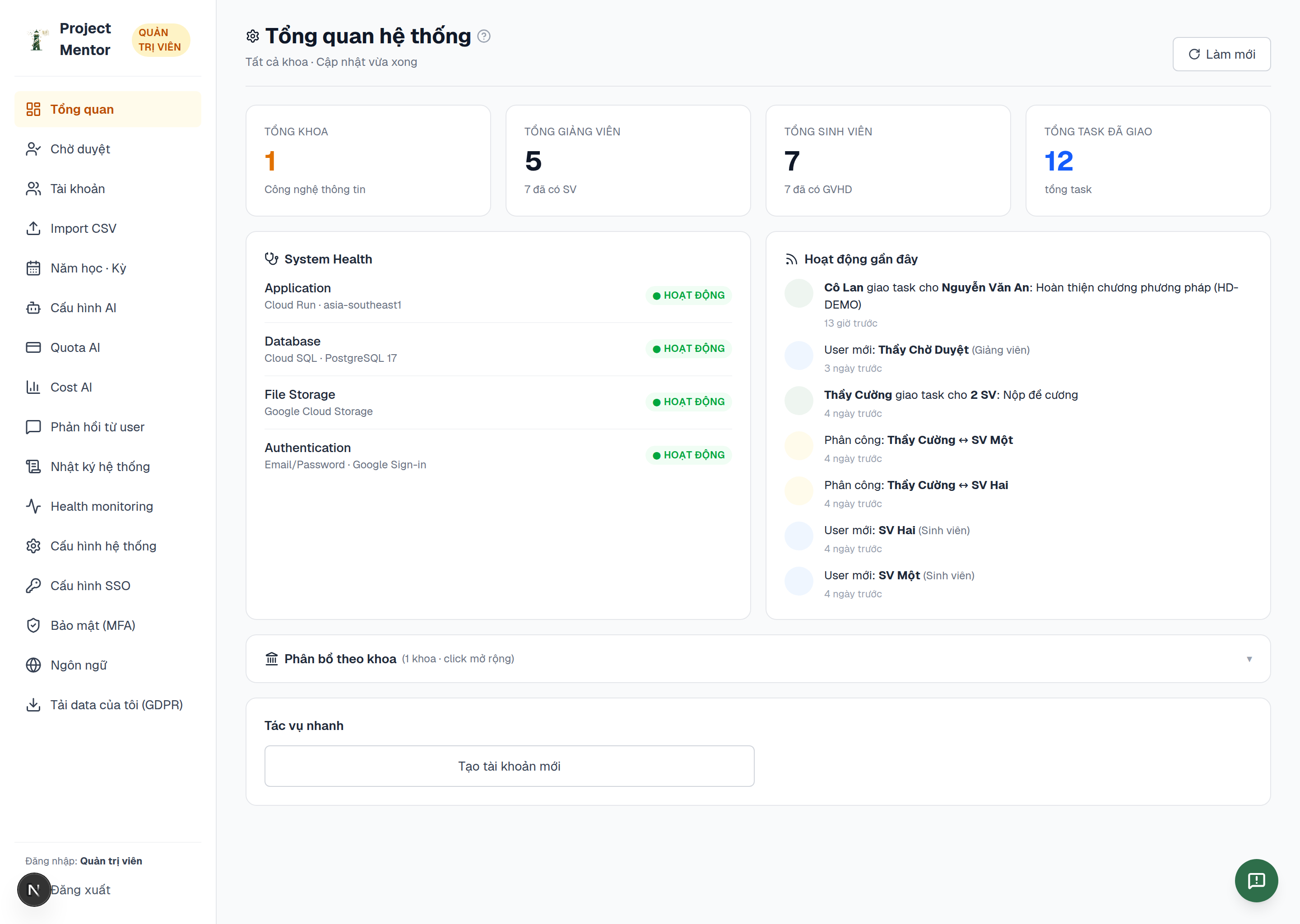
Assign each person a role — Student, Lecturer, Coordinator, or Administrator — because the role determines what they see and can do. Lecturers who self-register wait for your approval, so the approvals queue is your gate.
Have the coordinator create the academic term that the pilot runs in. Terms anchor supervision activity, assignments, and defence councils, so everything that follows hangs off this.
In the coordinator's assignment view, pair each student with a supervising lecturer. The platform can suggest matches, but the coordinator confirms them. Clean assignment up front is what makes the dashboards and the at-risk signal meaningful later.
Decide how much AI the pilot uses:
Start conservative; you can raise the budget once you see real usage.
Point each role at its guide so they are not learning by trial and error:
The full step-by-step guides — with screenshots — live in the documentation hub on this site.
Let the faculty work for a few weeks, then look at what the system recorded: progress distribution, the at-risk list, AI spend, supervision turnaround. A pilot's whole purpose is to replace assumptions with evidence — and a setup done this way gives you that evidence cleanly.
That is the entire path: accounts and roles → term → assignment → AI limits → orientation → run and measure. None of it takes long, and doing it in this order is what makes the pilot worth the name.